Profile, Security, and Preferences
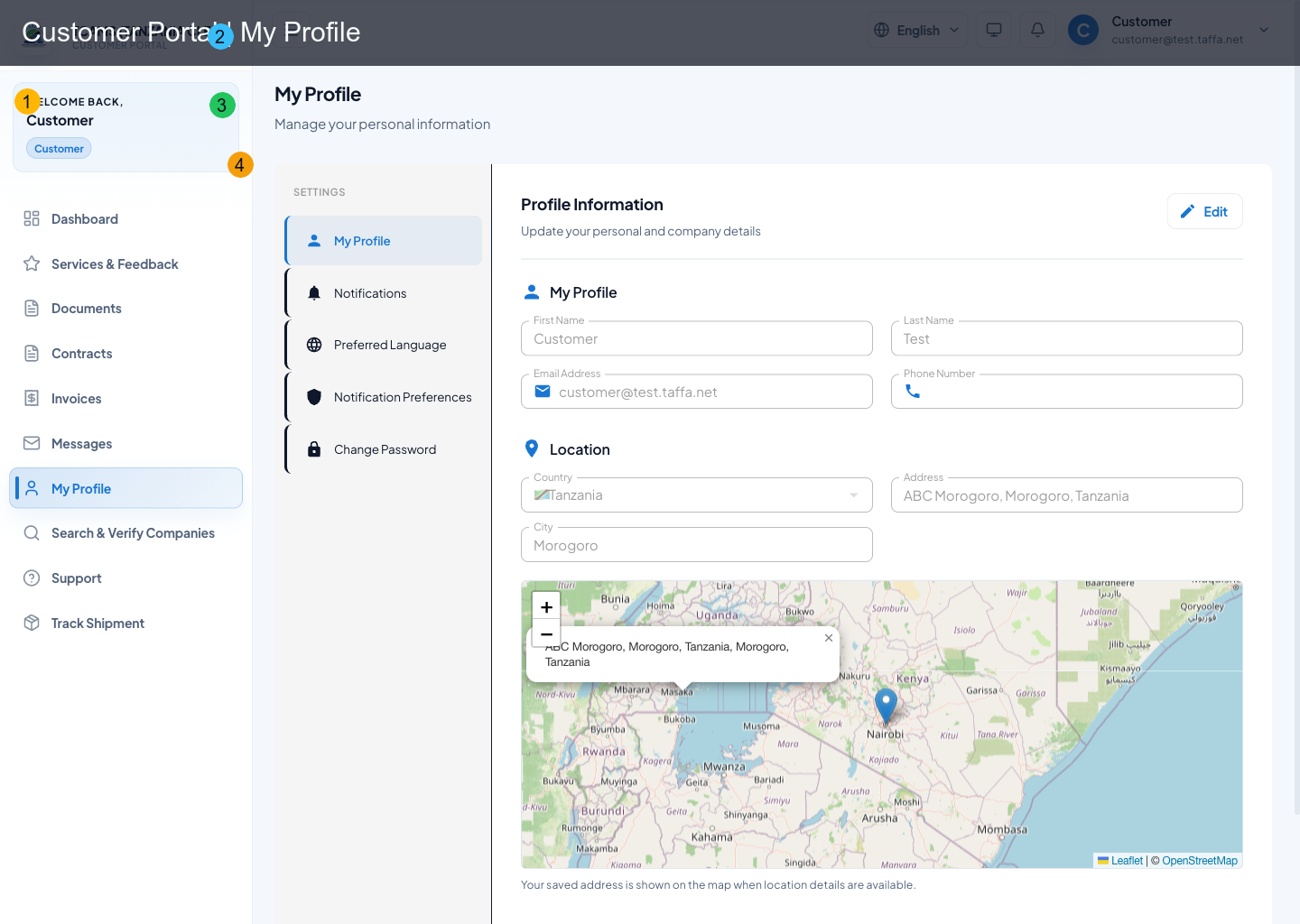
Profile is the control center for customer identity data, notifications, privacy, language/theme preferences, and account security.
Profile Information
Users can edit and save:
- first/last name
- phone
- location (country, city, address)
- company display metadata (name, registration number)
Notification Preferences
Notification settings are split by:
- channel: email, SMS, push
- activity type: invoice updates, complaint updates, rating responses, promotions/newsletter
Language and Display Preferences
Users can set:
- preferred language (
en,sw,fr) - timezone
- date format
- theme mode (light/dark/system)
Privacy Preferences
Privacy controls include:
- profile visibility (
public,contacts,private) - rating visibility
- activity visibility
- analytics/data-sharing preference
Security Controls
Two-Factor Authentication (2FA)
Built-in 2FA setup is available in the security section.
Password Management
Password changes are delegated to Keycloak account flows.
Passkeys (WebAuthn)
Users can:
- register a passkey (
webauthn-register-passwordlessaction) - use profile/security or the app-side enrollment nudge to start passkey registration
- use the passkey sign-in option on the login page after registration
Recommended sequence:
- open My Profile
- open the security section
- choose passkey registration
- complete the browser/device prompt
- use passkey login on the next sign-in
If a passkey-capable device is detected and no passkey is registered, the portal may prompt the user to register one after sign-in.
Active Sessions
Users can:
- open Keycloak device activity page
- sign out all sessions from security controls
Account Activity Snapshot
Security view includes a lightweight account activity summary (last login/session timing).
Profile Maintenance Procedure
- Open Profile and compare name, phone, organization, location, and address with your current business records.
- Correct one section at a time and save it before moving to another section.
- Reopen the page or wait for the success message to confirm that the change persisted.
- Review notification preferences after changing email, phone, language, or time zone.
- Check privacy choices and make sure they match the information you intend other users to see.
Some identity fields can be controlled by the authentication service and may not be editable directly in TCAMS. Use the secure account action or support process when a protected field must change.
Security Hardening Checklist
- Use a unique password and never share it with a CFA, association user, or support agent.
- Register a passkey on a device you control and keep a separate recovery method.
- Enable two-factor authentication where offered and store recovery material securely.
- Review active sessions after using a shared or unfamiliar device; end sessions you do not recognize.
- Treat unexpected password-reset, passkey, or login emails as suspicious until you confirm that you initiated them.
- Sign out when finished on shared equipment and do not allow the browser to save credentials there.
If you lose access to every sign-in method, start account recovery from the official login page. Support can help verify the account state, but should never ask for your password, authenticator code, passkey response, or full payment credentials.