Access and Onboarding
Landing and Sign-In
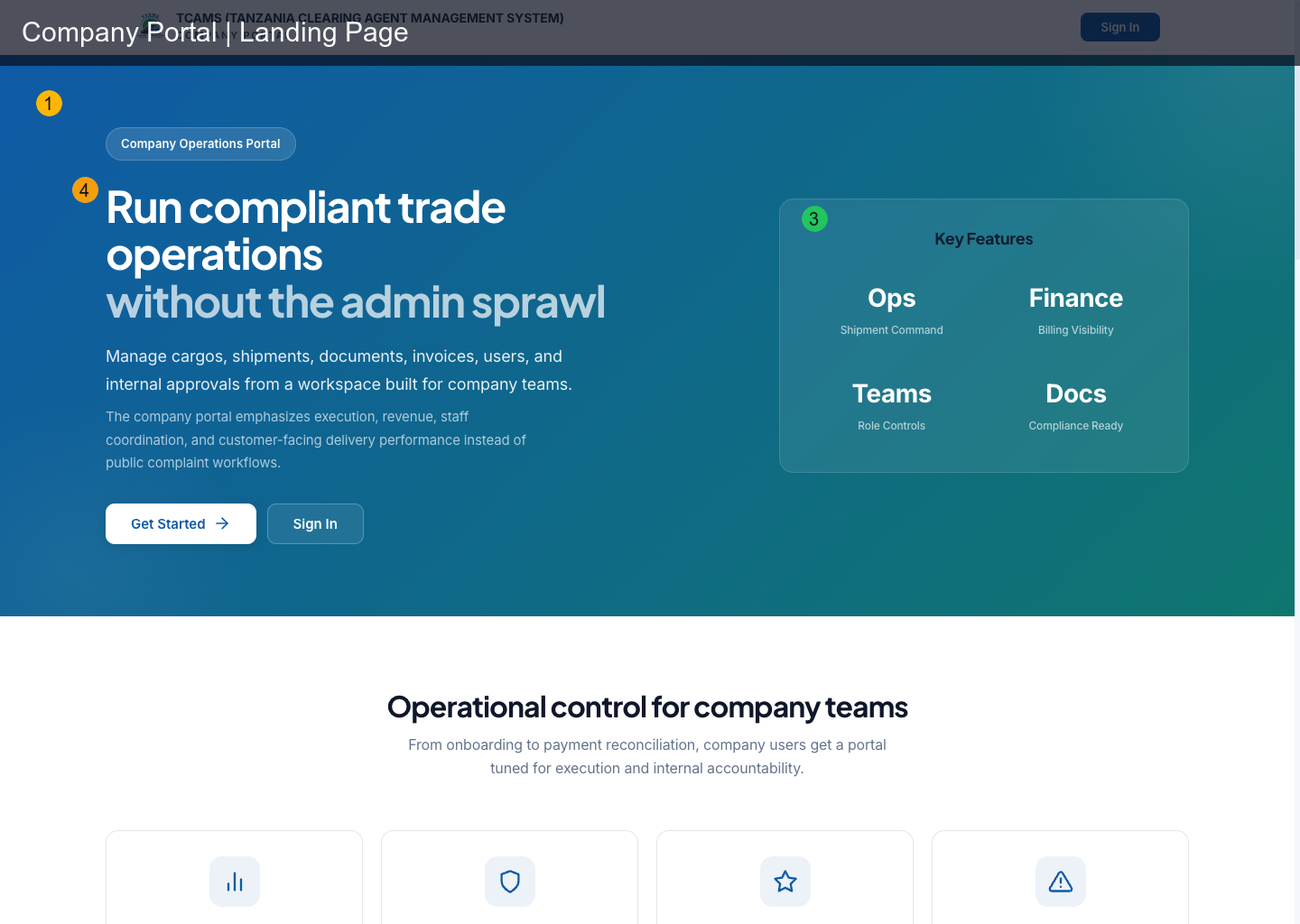
The landing page is the public entry point for company users.
Primary actions:
- Sign In for existing users
- Get Started to open company registration
Registration
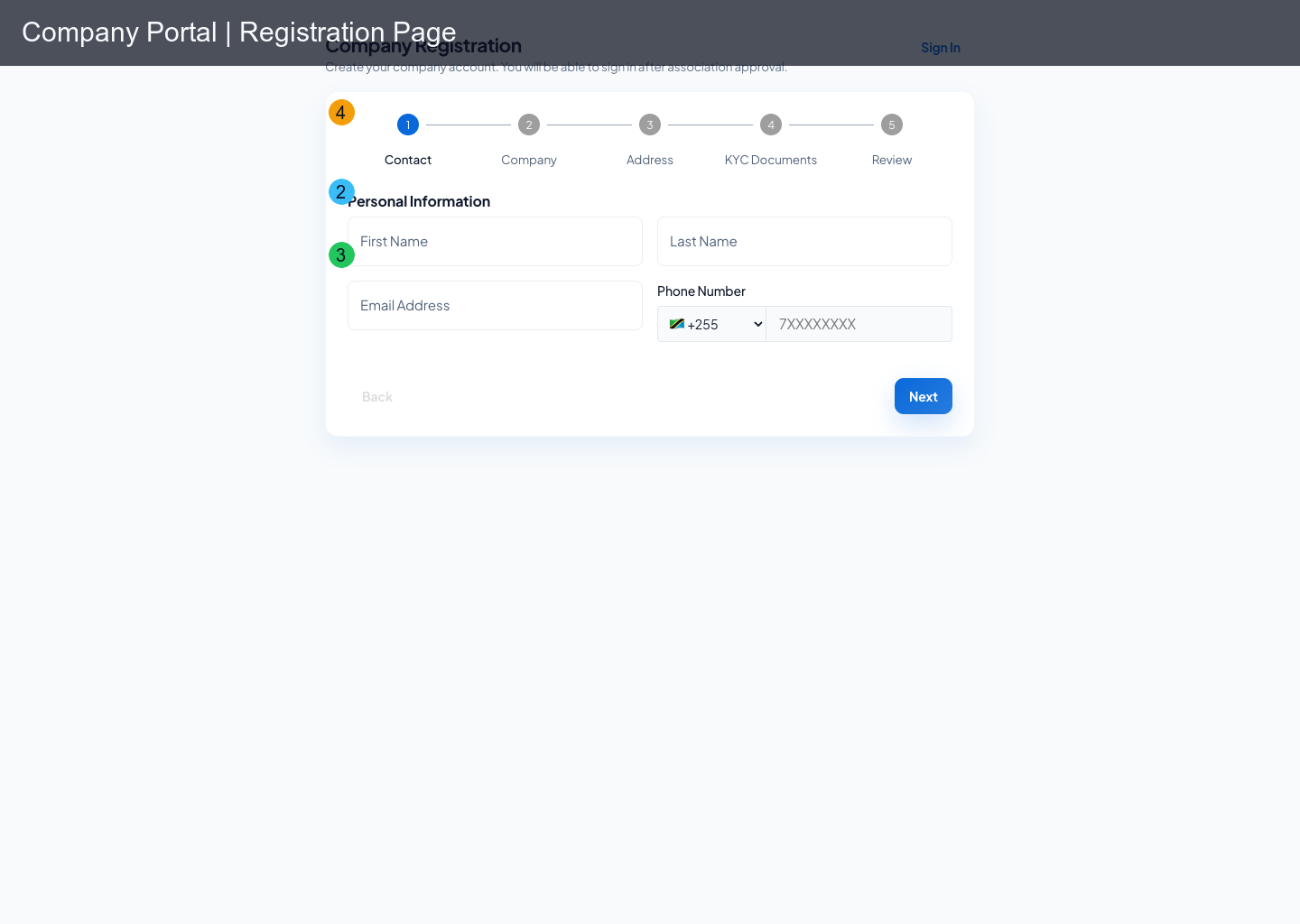
Company registration is handled in the portal registration flow, not Keycloak default registration.
Registration captures:
- contact person details
- company identity and regulatory identifiers
- address details
- required KYC/registration documents
- final review and terms acceptance
Prepare a Registration Pack
Before starting, identify the person who will own the initial company administrator account and prepare the company’s legal name, registration identifiers, tax or licensing details requested by the form, operating address, and current KYC documents. Use clear scans with readable corners and consistent company names. Do not upload expired, password-protected, or unrelated files.
The public registration is a five-stage workflow:
- Contact — enter the responsible person’s name, email, and phone.
- Company — enter legal identity and regulatory information exactly as it appears on official records.
- Address — provide the company’s operating and registered location details.
- KYC Documents — upload every required document under the correct type.
- Review — compare the summary against source records, accept the displayed terms, and submit once.
Moving between steps should preserve entered data, but do not depend on browser recovery for a long unfinished form. Keep the source information available and avoid opening a second registration for the same company while the first is pending.
After Submission and Approval
The association reviews the application. A submitted company is not automatically entitled to full portal access. Monitor the registration email for verification, requests for correction, approval, rejection, and account-setup instructions.
If corrections are requested, update the existing application where the workflow permits. A duplicate application can fragment the review trail. After approval, complete the identity setup, sign in, check the company profile, create additional users with least-privilege roles, and finish any outstanding onboarding milestones before processing live declarations.
Authentication Behavior
- portal uses Keycloak SSO for authentication
- callback parameters are handled on return from auth provider
- token refresh runs in background for active sessions
- password login and registered passkey login both return users to the company workspace
- if SSO account lacks
company-portalaccess, user is forced to re-login with correct account
Onboarding-Limited Mode
Some companies operate in onboarding mode until activation milestones are complete.
In this mode, available routes are intentionally limited to onboarding-safe modules, such as:
- onboarding dashboard
- profile
- certifications
- messages
- support
Use limited mode to complete the company profile, provide required certifications, communicate with reviewers, and request help. Missing operational modules are intentional until the company state permits full access. Support cannot bypass a legitimate approval requirement; it can clarify what evidence or review step remains.
Access Troubleshooting
| Symptom | Likely cause | Action |
|---|---|---|
| redirected to forbidden | user role missing for target route | sign in with role-permitted user or request role update |
| module missing from sidebar | role-gated nav visibility | verify role assignment in company user management |
| registration stuck on doc step | required KYC documents missing | upload all mandatory documents and retry |
| passkey option unavailable | no passkey registered or browser/device unsupported | register a passkey from profile security and retry on a supported device |
Access Readiness Checklist
- The signed-in name and company are correct.
- The sidebar matches the user’s assigned function; finance, user management, and disciplinary modules appear only for permitted roles.
- The company state is active for operational work, or the onboarding dashboard clearly shows what remains.
- The company profile and certifications are current.
- At least two appropriate administrators can recover access without sharing credentials.
- New users understand that roles control both visible navigation and server-side authorization.