Company Portal User Guide
This guide covers the full company workspace in TCAMS, including onboarding, TANCIS declarations, declaration invoices, compliance, finance, and team operations.
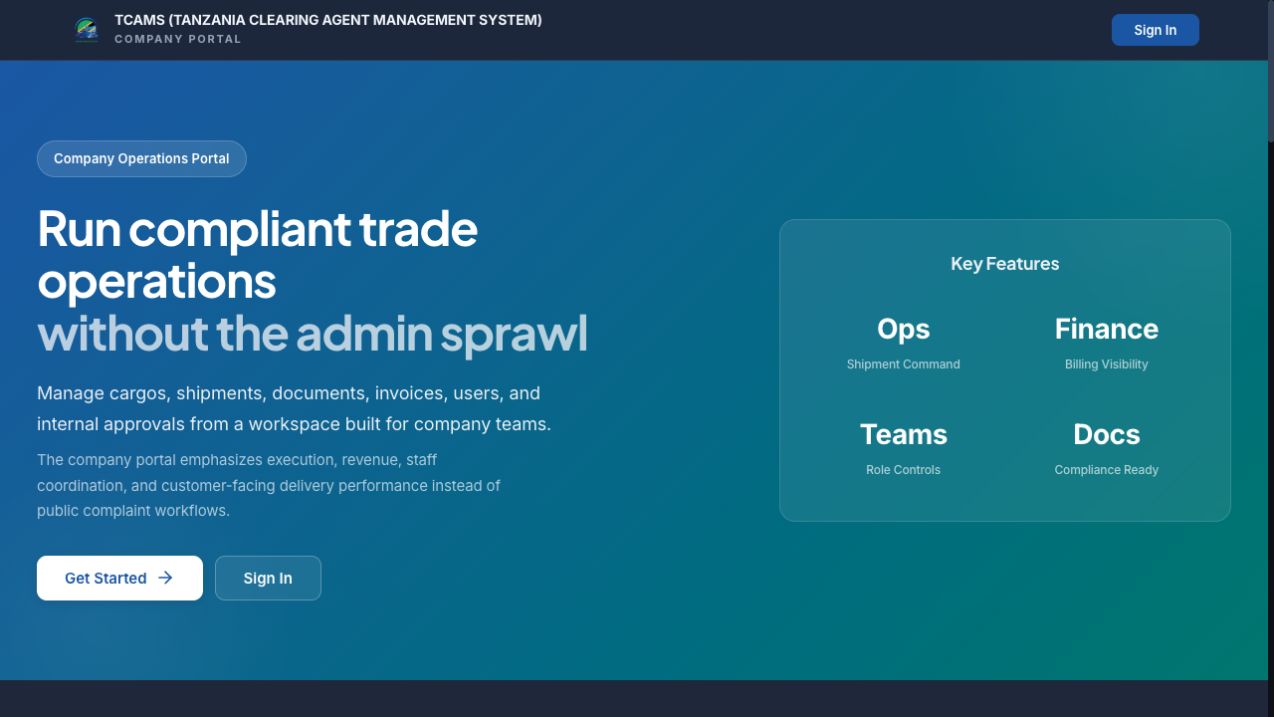
The image above shows the Company Portal landing page as it appeared on 15 July 2026. Authenticated workflow images elsewhere in the guide are annotated training captures; labels and available actions can vary with account permissions and tenant configuration.
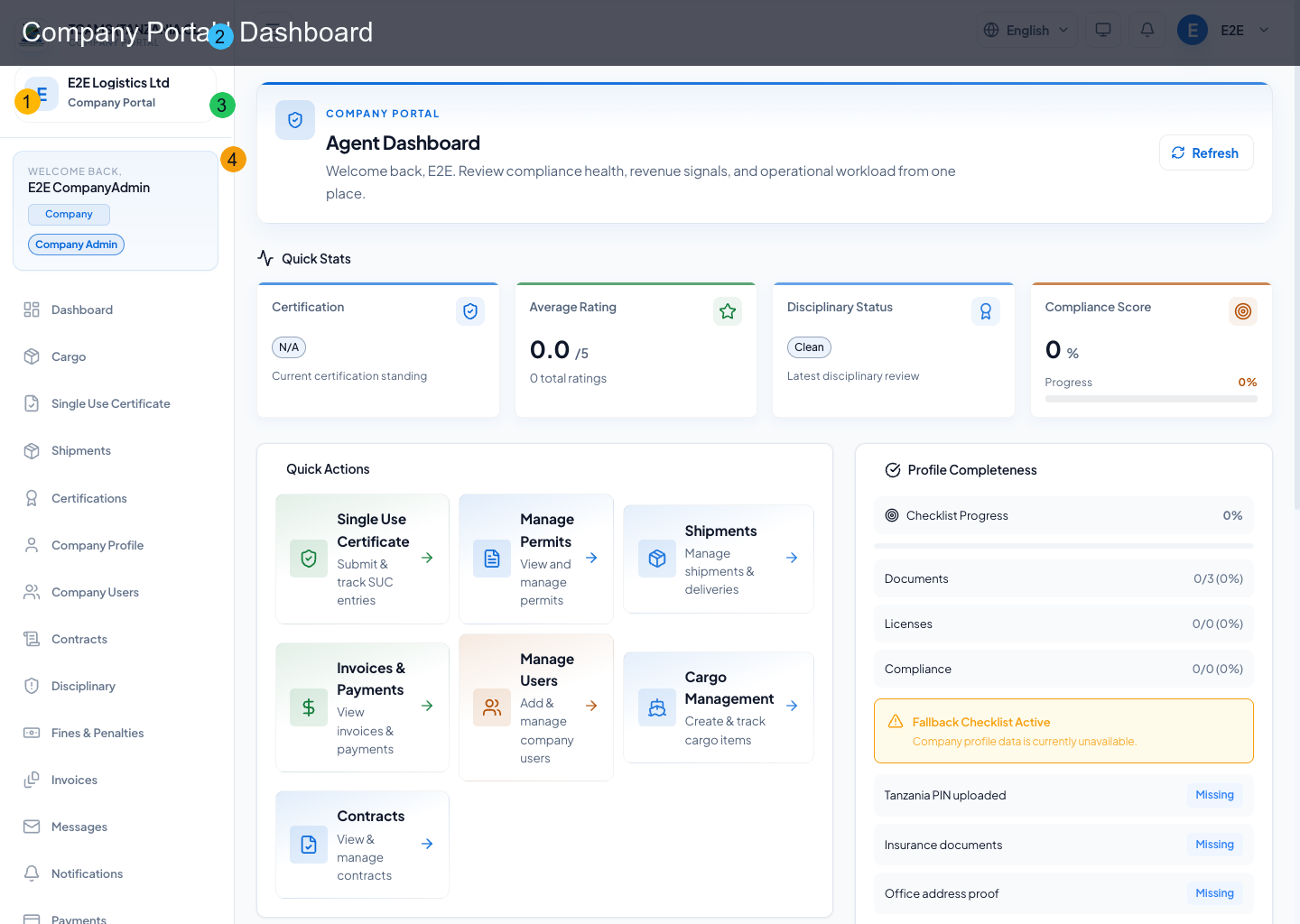
What Company Users Can Do
- register and onboard a company workspace
- review TANCIS declarations and the declared-load quantities received for the company
- view, download, share, and pay automatically generated declaration invoices
- onboard and link customers for operational collaboration
- manage contracts, invoices, and payments (role-permitted)
- manage users and company collaboration channels
- track notifications, support tickets, and training progress
- configure profile/security settings including passkeys
Functional Map
| Area | Route | Core actions |
|---|---|---|
| Access & registration | /, /register |
sign in, company registration, onboarding |
| Dashboard | /dashboard |
operational KPIs, activity, quick navigation |
| Company profile | /profile |
company details, preferences, security controls |
| Linked customers | /customers |
onboard customers, link existing customers, launch contracts/invoices/messages actions |
| TANCIS declarations | /declarations |
declaration register, declared load, lifecycle, invoices |
| Certifications | /certifications |
certification tracking and permit visibility |
| Users | /users |
invite/manage users and role assignment |
| Contracts | /contracts |
contract lifecycle and signature workflows |
| Invoices | /invoices |
invoice visibility and settlement actions |
| Payments | /payments |
payment records and status auditing |
| Messages | /messages |
real-time communication and threaded chat |
| Notifications | /notifications |
alerts, unread management, action routing |
| Support | /support |
ticketing, escalation, live follow-up |
| Reports | /reports |
analytics and operational reporting |
| Compliance scorecard | /compliance-scorecard |
compliance trends and score indicators |
| Training | /training |
courses, assignments, completion tracking |
Role-Aware Visibility
Company portal hides or reveals modules by role so users see only permitted workflows.
Examples:
COMPANY_USER: declaration visibility, documents, training, and messagingCOMPANY_ADMIN: user/admin controls, linked-customer onboarding, and broad workspace managementCOMPANY_FINANCE: invoices, payments, finance workflowsCOMPANY_AUDITOR: reports and audit-oriented viewsCOMPANY_DISCIPLINARY: disciplinary/fines modules
Screenshot Legend
All annotated screenshots use the same numbered markers:
- sidebar navigation
- header controls
- current workspace
- page-specific focus area