Company Operations Guide
Use this guide for shipment, cargo, clearing agent OTP, and support workflows.
1. Manage Shipments
- Open
Shipments. - Click
New Shipmentto create a shipment. - Fill transport details and upload transport document.
- Use search and filters to monitor lifecycle.
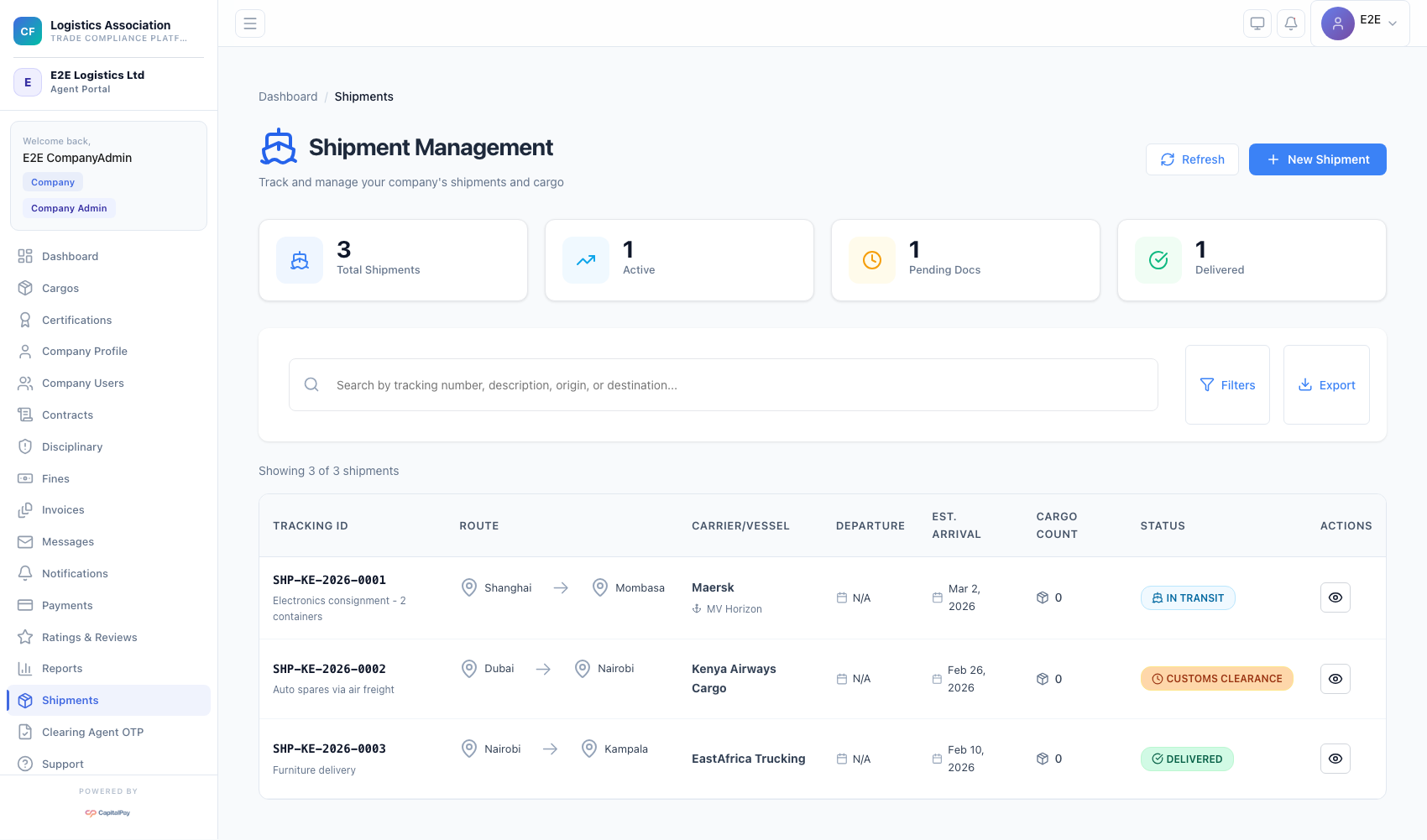
Step Checkpoint - Use as reference: The screenshot above (when provided) should match the state after completing these steps. - Expected result: shipment appears in list with status updates. - If different: Refresh once, then use the troubleshooting guidance in this guide.
2. Manage Cargos (Including IDF Flow)
- Open
Cargos. - Click
New Cargoor use the IDF upload action. - Upload IDF PDF and review extracted cargo items.
- Save and monitor verification/rejection counters.
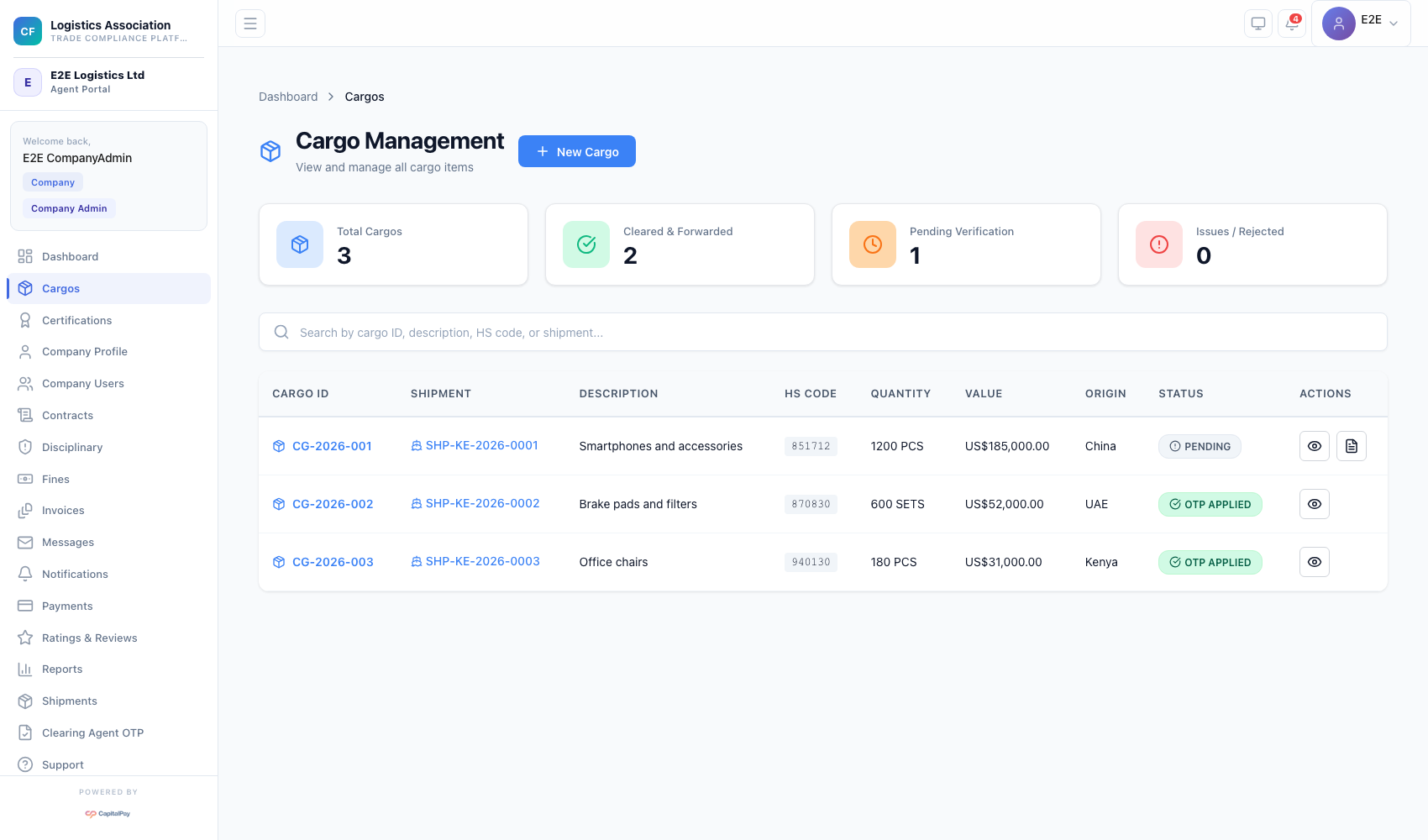
Step Checkpoint - Use as reference: The screenshot above (when provided) should match the state after completing these steps. - Expected result: cargo record is created and visible in status counters. - If different: Refresh once, then use the troubleshooting guidance in this guide.
3. Use Clearing Agent OTP
- Open
Clearing Agent OTP. - Move to
Pending Cargosand select eligible cargo. - Submit OTP application.
- Track certificate status in
Active Certificates.
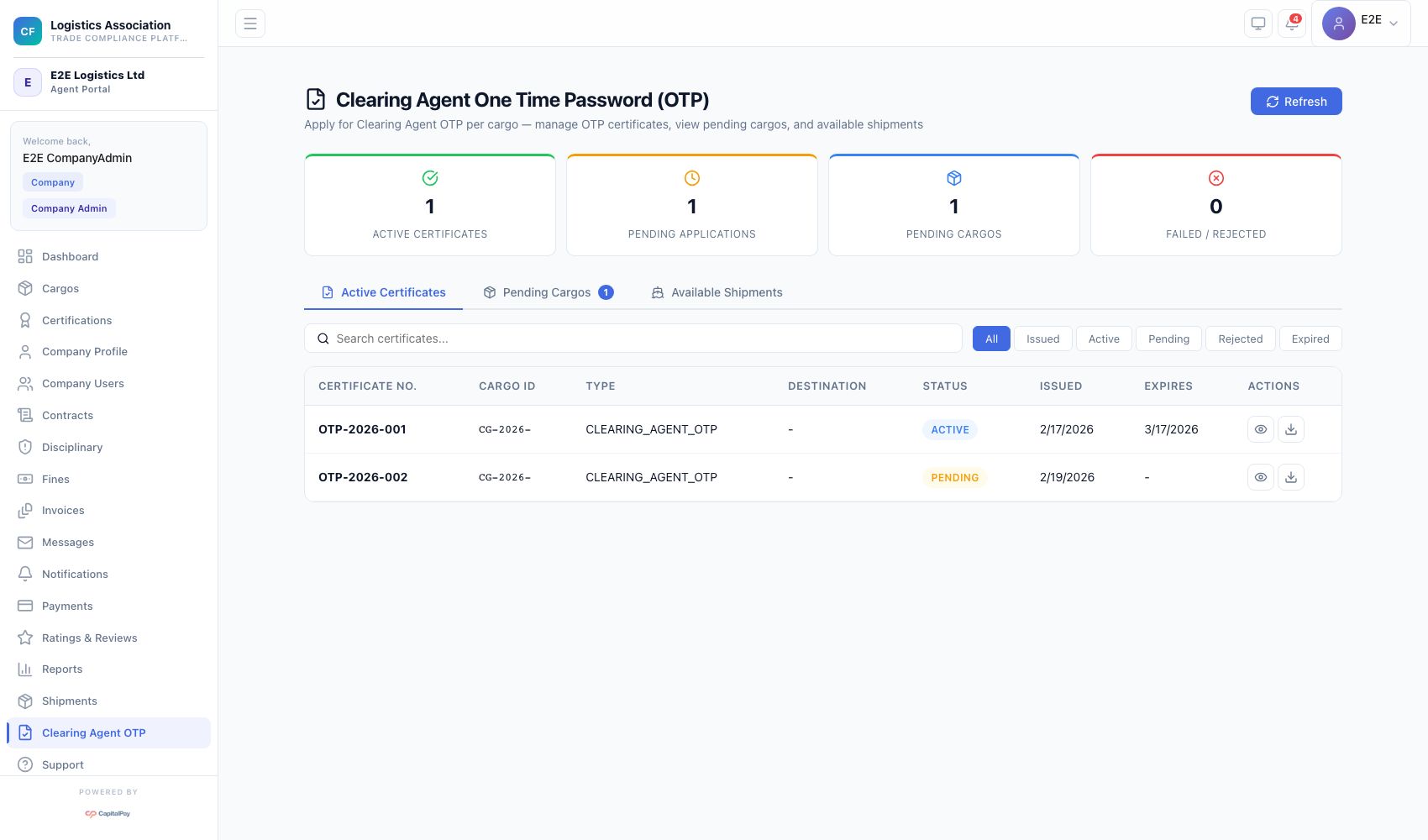
Step Checkpoint - Use as reference: The screenshot above (when provided) should match the state after completing these steps. - Expected result: application transitions through pending, issued, active, or rejected states. - If different: Refresh once, then use the troubleshooting guidance in this guide.
4. Manage Support Tickets
- Open
Support. - Click
New Ticket. - Add issue details and submit.
- Monitor ticket state transitions in support list.
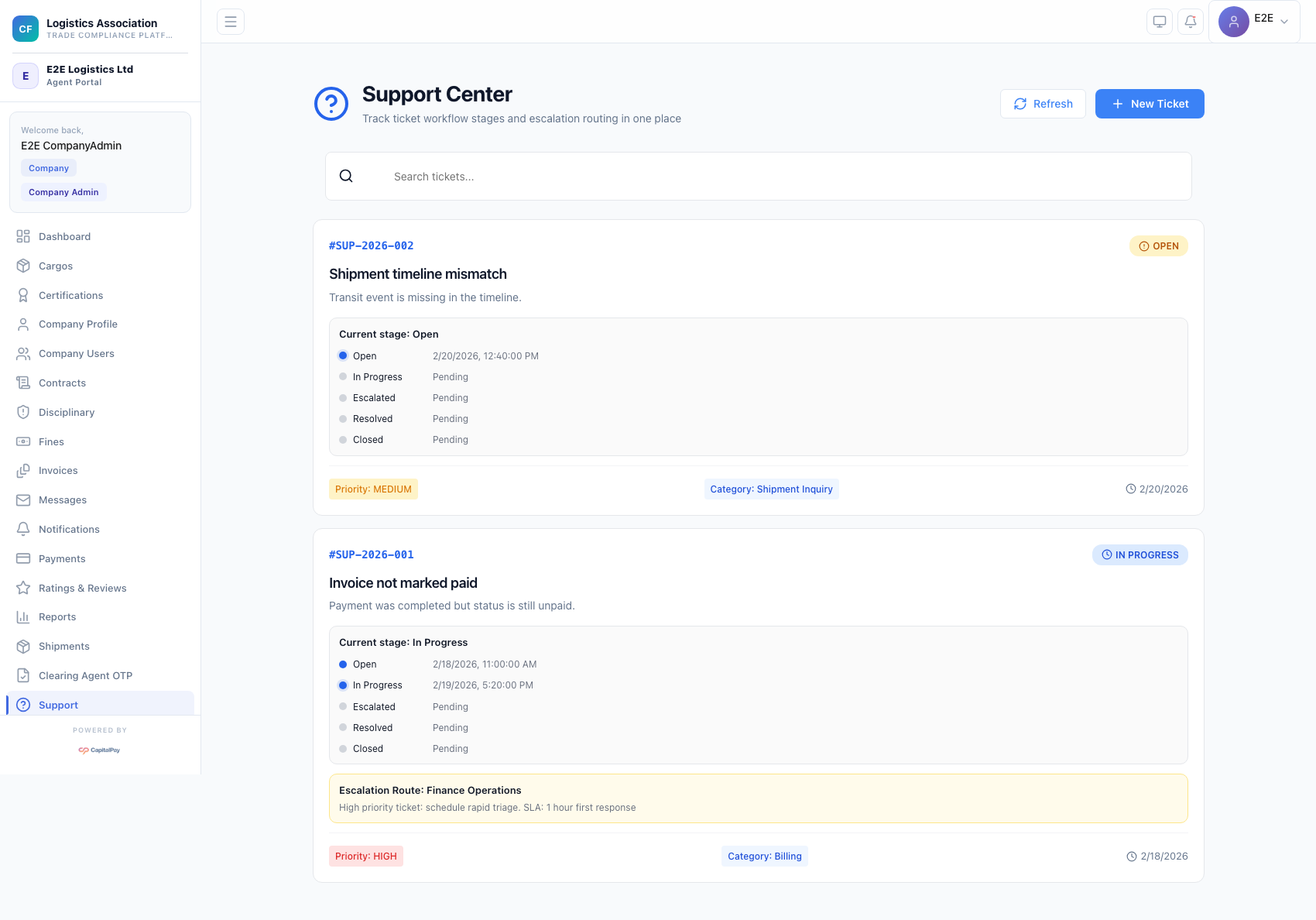
Step Checkpoint - Use as reference: The screenshot above (when provided) should match the state after completing these steps. - Expected result: ticket appears in list and is trackable to closure. - If different: Refresh once, then use the troubleshooting guidance in this guide.
5. Troubleshooting
Cannot read properties of undefined (reading 'login'):- runtime auth/config issue;
- refresh, sign out, sign in, then escalate with screenshot/time if persistent.
Failed to Load Cargos:- verify backend availability and role scope;
- retry once before raising support ticket.
Quick Reference
- Operations menus:
Shipments,Cargos,Clearing Agent OTP,Support - Required docs: transport docs and IDF files