Association Operations And Compliance Guide
Use this guide for shipment/cargo supervision, document checks, and compliance operations.
1. Monitor Shipments
- Open
Shipments. - Search by shipment reference.
- Filter by status and inspect entries requiring intervention.
- Escalate operational exceptions to company teams.
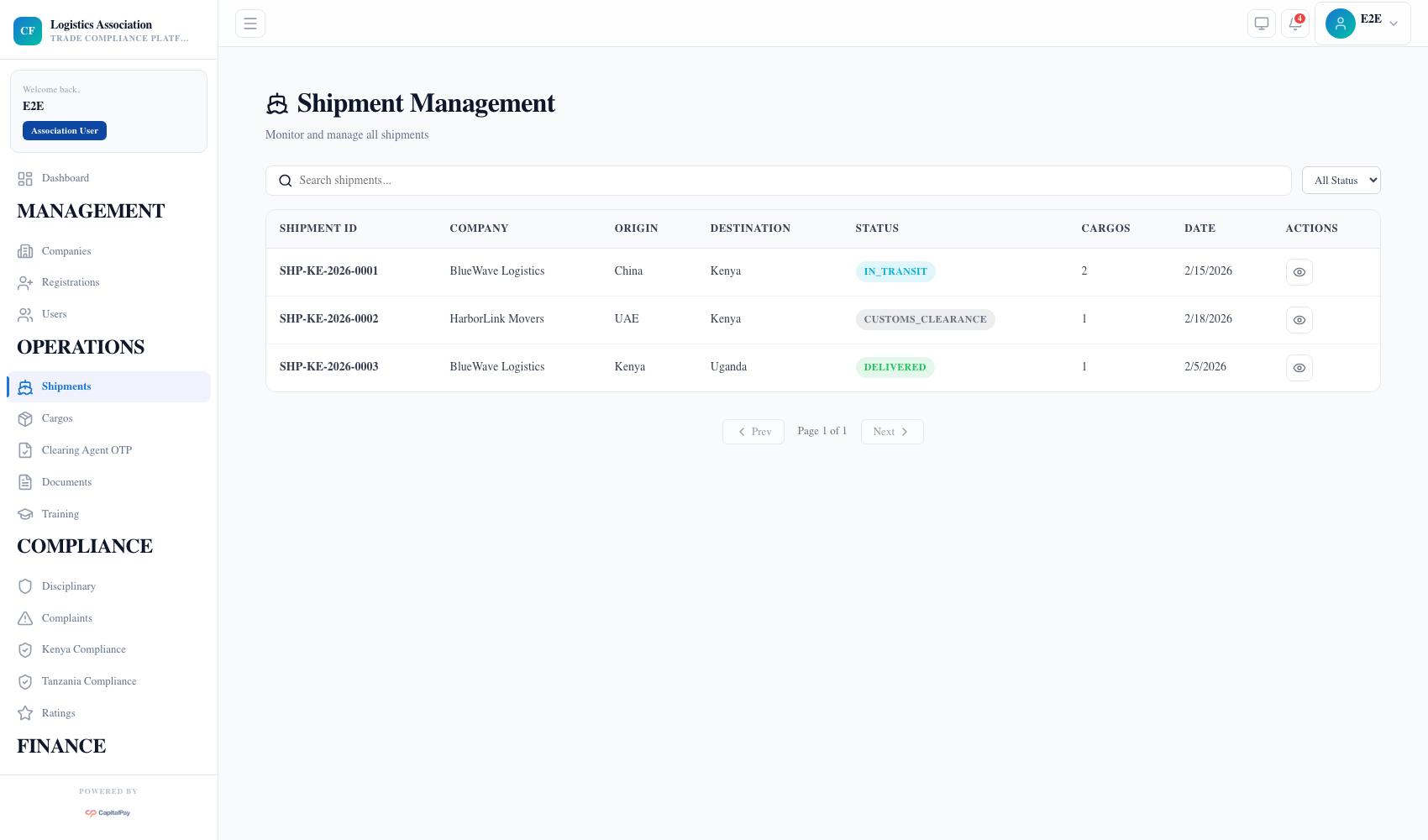
Step Checkpoint - Use as reference: The screenshot above (when provided) should match the state after completing these steps. - Expected result: shipment list gives cross-company operational visibility. - If different: Refresh once, then use the troubleshooting guidance in this guide.
2. Monitor Cargos
- Open
Cargos. - Search by cargo ID, HS code, or description.
- Review status and value fields for risk/compliance checks.
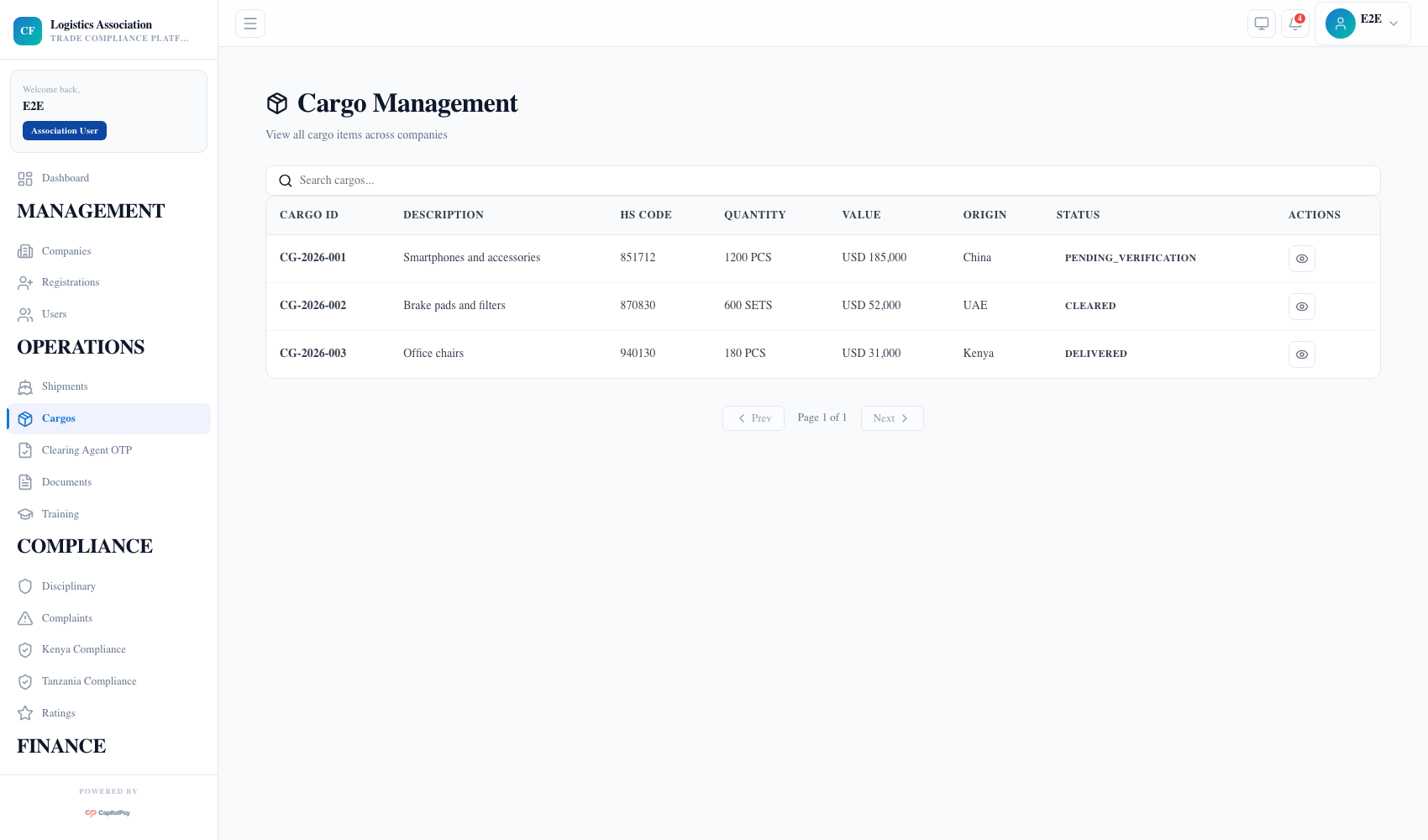
Step Checkpoint - Use as reference: The screenshot above (when provided) should match the state after completing these steps. - Expected result: cargo records are visible with clear status for review. - If different: Refresh once, then use the troubleshooting guidance in this guide.
3. Review Uploaded Documents
- Open
Documents. - Filter by type and company.
- Open records needed for registration, shipment, or compliance checks.
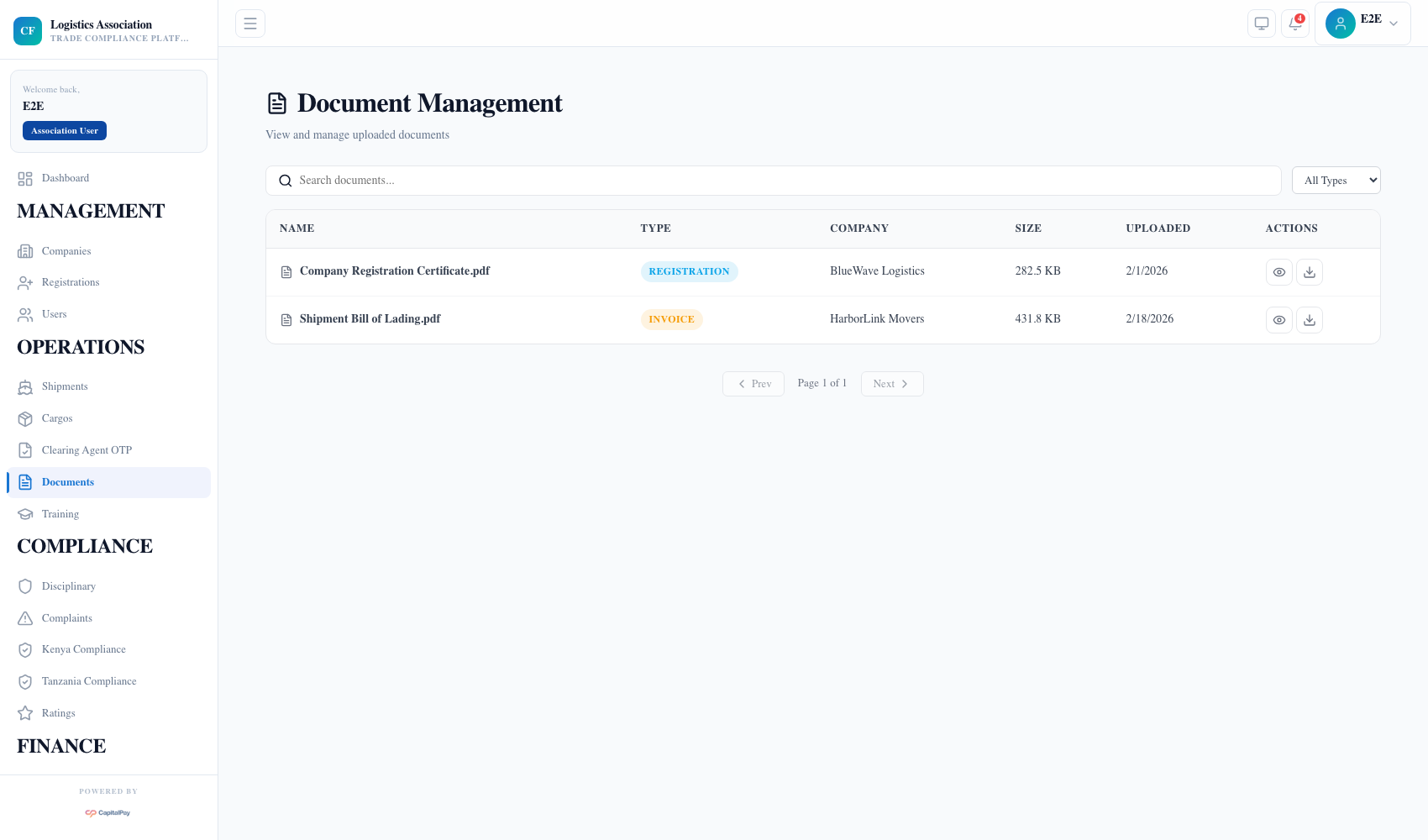
Step Checkpoint - Use as reference: The screenshot above (when provided) should match the state after completing these steps. - Expected result: document records can be searched and audited. - If different: Refresh once, then use the troubleshooting guidance in this guide.
4. Handle Complaints And Disciplinary Work
- Open
Complaintsfor issue intake and routing. - Open
Disciplinaryfor sanctions and resolution tracking. - Keep decisions documented for audit traceability.
Step Checkpoint - Use as reference: The screenshot above (when provided) should match the state after completing these steps. - Expected result: interventions are tracked with full history. - If different: Refresh once, then use the troubleshooting guidance in this guide.
5. Troubleshooting
Failed to load shipments:- session/runtime issue is most common;
- re-authenticate and retry, then escalate with screenshot and timestamp.
- Missing cargo/document records:
- verify scope filters and upload completion first.
Quick Reference
- Ops menus:
Shipments,Cargos,Documents,Complaints,Disciplinary - Compliance menus: country compliance screens and ratings